Rabu, 18 Juli 2012

BoneLab 2 v2.3.36


BoneLab 2 v2.3.36 merupakan software edukasi pelajaran Biologi khususnya tetang organ dalam manusia terutama tulang. Bagi para pengajar dan penikmat pelajaran biologi, software ini wajib dimiliki. Bagi pengajar akan memberikan kemudahan dalam penjelasan terhadap siswa. Bagi siswa akan lebih mudah memahami pelajaran yang diberikan. Saya sangat merekomendasikan software ini.


Selamat Mencoba

Any Video Converter Ultimate 4.0 Full


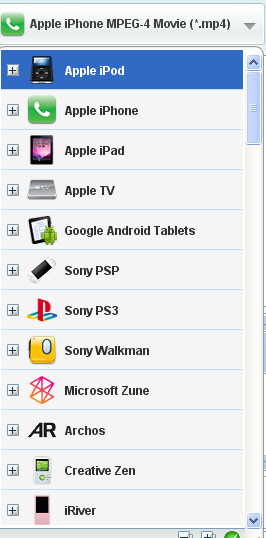
Any Video Converter merupakan converter favorite saya. Dulu saya biasa menggunakan yang free tapi sekarang saya menggunakan Any Video Converter Ultimate 4.0 Full. Secara umum hampir sama tapi pada jendela utama Any Video Converter Ultimate 4.0 Full kita akan diperlihatkan menu Add DVD dan video record. tapi itu hanya yang kelihatan. Fitur2 baru yang tidak nampak cukup berlimpah seperti dukungan format input output video audio yang akan di convert. Selain itu juga ada dukungan untuk donlot dan upload video langsung ke youtube. 


Beberapa fitur berdasakan web Any Video Converter Ultimate 4.0 Full :
  1. All-in-one DVD ripper and video converter
  2. Record video and capture desktop activities
  3. Enjoying YouTube videos
  4. Editing videos easily
  5. Burning video to CD/DVD disc
  6. Easier operation and management

Untuk Screenshot nya bisa dilihat dibawah


Selamat Mencoba

Selasa, 17 Juli 2012

USB Alert Untuk Yang Suka Lupa USB

Tools kecil ini sangat membantu bagi yang pelupa, khusunya lupa USB. Apalagi kalau suka main di warnet trus USB (FD) ketinggalan wah bisa gawat, selian FD/HD hilang, data2nya juga bisa di baca/lihat2 orang. Ia kalau data2 gak ada yang bermasalah tapi kalau ada yang bersifat pribadi gmn?? Saya sendiri sering mengalami kehilangan FD di warnet mulai dari 256mb sampai yang terakihir 8gb, total saya sudah kehilangan FD 6 kali di wanet, lumayan khan. Tapi dengan tools ini tidak lagi coz apabila komputer mau di sgutdown dan USB masih terpasang dia akan memberi peringatan untuk melepas USB terlebih dahulu, kalau tidak nanti tidak bisa shutdown.
Tool ini ada yang installer dan portable.
Untuk yang installer seperti bisaa tinggal install aja dan nanti akan muncul lambang USB dengan bacakground putih di Notification Area (dekat jam, sebelah kanan bawah monitor)


Untuk yang portable, tinggal extrac file2 yang ada di dalam rar yaitu Autorun, Readme, USB_Alert kedalam FD atau HD external tapi jangan di kasih folder, biarlah terbuka dalam FD/HD. Untuk mencobanya langsung pasang saja FD atau HD nya ke USB nanti icon USB nya muncul. Tapi kalau tidak bisa, ikuti langkah2 berikut :
  1. Pastikan Autorun di aktifkan di komputer anda, kalau malas aktifkan ya terpakasa manual dengan cara tiap pasang usb, double klik USB_Alert, nanti jadi aktif.
  2. Tidak ada folder Autorun.inf punya smadav di dalam FD ato HD external anda, kalau ada silahkan di format dulu biar hilang coz kalau ada file autorun yang usb tidak bisa di copy
  3. Kalau malas format coz banyak data yang harus di pindahkan, extraxt dulu file2 dari rar ke suatu folder di t4 lain. Missal folder USb di MyDocuments, copy file , Readme dan USB_Alert ke dalam FD ato HD yang di proteksi smadav. Buka file autorun.inf yang ada di folder USb di MyDocuments, copy semua isinya, masuk ke usb, klik kanan, new, Text Documents, paste yang tadi di copy, kemudian save as, kasih nama autorun.inf, save as type diganti All files, kalau ada notifikasi yang muncul, klik ok saja, dan usb alert portable sudah jadi.
Download USB Alert Portable

Download USB Alert Install

Selamat Mencoba


Converter Ms.Office 2007 to Office 2003


Bagi pengguna Ms. Office 2003 yang tidak ingin beralih ke Ms. Office 2007 tapi memiliki kendala dengan file office 2007 yang mana tidak bisa di buka di office 2003, maka Converter Ms.Office 2007 to Office 2003 adalah solusinya. Converter Ms.Office 2007 to Office 2003 merupakan converter yang otomatis akan mengconversi file office 2007 ke office 2003 sehingga bisa diedit. Software ini sudah lama keluar tapi saya baru sempat membagikannya sekarang.


Selamat Mencoba

Windows Search 4.0-Windows XP


Bagi pengguna windows dan OS lainnya pasti tidak asing dengan istilah search. Istilah tersebut merupakan istilah yang digunakan utnuk mencari file atau folder yang ada di drive yang ada di kompuetr/laptop. Baik HD internal, External maupun USB drive. Terus apa bedanya Windows Search 4.0-Windows XP dengan bawaan windows XP yang lama? Perbedannya dari fitur pencarian yang lebih akurat dan juga tampilan yang lebih menarik. Pagi pengguna windows XP, tidak ada salahnya software ini digunakan.


Selamat Mencoba

Aida64 Extreme Edition 2.50 + SN


Aida64 Extreme Edition 2.50 merupakan versi terbaru yang dirilis. Aida64 Extreme Edition 2.50 merupakan software diagnosa untuk daleman komputer yang sangat lengkap. Mulai dari software, hardware,suhu, benchark dll. Kalau dahulu nama softwre ini adalah Everest. Bagi yang kesulitan mencari driver bagi hardwarenya, software ini juga menyediakan alamat vendor hardware tsb dan apalbila OL bisa langsung donlot. Aida64 Extreme Edition 2.50 merupakan software favorite saya untuk mendukung dan mengecek kinerja PC kesayangan saya.


Ini dia fiturnya berdasarkan info dari websitenya :
AIDA64 Extreme Edition is a streamlined Windows diagnostic and benchmarking software for home users. AIDA64 Extreme Edition provides a wide range of features to assist in overclocking, hardware error diagnosis, stress testing, and sensor monitoring. It has unique capabilities to assess the performance of the processor, system memory, and disk drives. AIDA64 is compatible with all current 32-bit and 64-bit Microsoft Windows operating systems, including Windows 7 and Windows Server 2008 R2.

CPU, memory and disk benchmarks

AIDA64 implements a set of 64-bit benchmarks to measure how fast the computer performs various data processing tasks and mathematical calculations. Memory and cache benchmarks are available to analyze system RAM bandwidth and latency. Processor benchmarks utilize MMX, 3DNow!, SSE, XOP, FMA, and AVX instructions, and scale up to 32 processor cores. For legacy processors all benchmarks are available in 32-bit version as well. AIDA64 Disk Benchmark determines the data transfer speed of hard disk drives, solid-state drives, optical drives, and flash memory based devices. Learn more...

Temperature, voltage and cooling fan monitoring

AIDA64 supports over 150 various sensor devices to measure temperatures, voltages, fan speeds, and power draw. Measured values can be displayed on System Tray icons, OSD panel, Sidebar Gadget, and Logitech G15/G19 Gaming Keyboard LCD. The values can also be logged to file or exported to external applications such as RivaTuner or Samurai. AIDA64 can also alarm the user when it detects overheating, over-voltage, or cooling fan failure.

Hardware diagnostics

AIDA64 has the most accurate hardware detection capabilities in its class, to provide detailed information on the computer internals without the need to open it up. The hardware detection module is strengthened by an exhaustive hardware database holding over 120,000 entries. Additional modules are available to overview processor frequencies, check CRT and LCD display status, and stress the system to reveal potential hardware failures and thermal issues.

Software and operating system analysis

AIDA64 provides over 50 pages of information on installed programs, software licenses, security applications, and Windows settings. List of started processes, services, DLL files, startup programs, and visited web pages is also available.

Download Aida64 Extreme Edition 2.50 + SN

Selamat Mencoba

Google Sketchup 8 Pro Full


Google Sketchup 8 Pro Merupakan softwaare design bagi para penyuka rencang bangun. Google Sketchup 8 Pro lebih simple dari Autocad dan software sejenisnya. Tapi walaupun demikin fitur yang ditawarkan cukup mumpuni untuk pemula maupun advance.
Fitur yang ditawarkan ini diantaranya:
Create 3D Models
Using SketchUp Pro, you can create 3D models, either by starting from scratch or by using existing data. Import drawings, CAD plans, photos, aerial imagery and other information, then use the modeling tools in SketchUp Pro to develop your ideas into 3D.
Add data to your model
Within SketchUp Pro, you have the ability to add attributes to your model with Dynamic Components. At any point, create a report summarizing the attribute data in your model. Use these reports to extract quantities and take-offs throughout the evolution of your model.
Export and Share
Some projects require the use of traditional CAD applications or renderering applications to develop construction drawings, photo-realistic images or to share information. SketchUp Pro can export your 3D model in a number of 2D and 3D formats for use with other applications.
Present and Document
For many of your projects, SketchUp Pro, which includes LayOut, is all you will need. LayOut is the 2D companion to SketchUp Pro for creating deliverables like permit and construction drawings, presentation documents and full-screen digital presentations. 


Selamat Mencoba